
Performance: auto-batching & render settings
The engine ships two performance features that need no per-object work from you: transparent draw-call auto-batching, and a scene-level rendering-settings registry that toggles the expensive parts of the pipeline.
Auto-batching
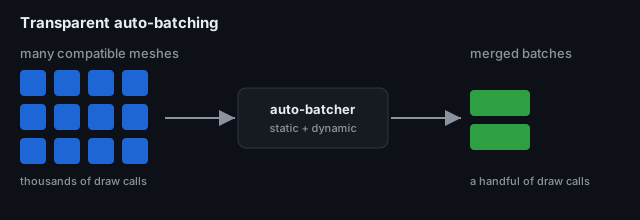
Section titled “Auto-batching”Every unique (geometry, material) pair a scene draws is normally its own draw call; thousands of
them starve the GPU. The auto-batcher (packages/engine/src/render/auto-batcher.ts,
render-batch-system.ts) merges compatible meshes into shared batches — both static geometry
and dynamic (per-frame-moving) objects — so a scene that would issue thousands of draw calls
issues a handful. On a 100k-object stress scene this is roughly an 8 → 120 fps difference.
It is transparent: you don’t tag anything or call a batch API — the render system batches what it can and leaves the rest as normal draws. It also degrades gracefully (anything that can’t be batched still renders correctly) and is a gated opt-out, so you can turn it off per scene if a case ever misbehaves.
The rendering-settings registry
Section titled “The rendering-settings registry”Scenes carry an optional environment.rendering block whose fields come from one registry
(packages/engine/src/render/render-features.ts), applied by render-settings.ts. Each is a
toggle for an expensive stage, and the editor exposes them in the Rendering section of the
environment inspector (select nothing → Environment → Rendering).
| Setting | Default | What it controls |
|---|---|---|
autoBatch | true | the auto-batcher above |
frustumCulling | true | skip objects outside the camera frustum |
lod | true | level-of-detail switching |
shadows | true | shadow-map rendering |
postProcessing | true | the whole EffectComposer post stack (off → plain render) |
resolutionScale | 1 | render-target scale (lower = faster, softer) |
antialias | true | MSAA / antialiasing |
backend | "auto" | renderer backend selection |
See also
Section titled “See also”- Rendering, cameras & meshes · Post-processing
- Auto-batching & render settings at the terminal — see the registry + tests run for real.