
UI in the game hierarchy
Game UI is a declared React adapter root in vgai.project.json. There is no
scene-authored UI tree and no imperative HUD mount API.
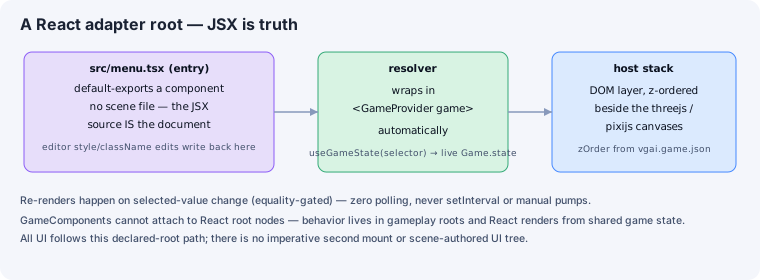
In Edit mode, expand the native React group in the hierarchy. Components and instrumented elements appear under their owning root. Select an element to edit layout, typography, fill, stroke, and other React properties; supported edits write directly to the TSX source.
Use stable data-oid values on authorable elements:
export default function GameUI() { return ( <section data-oid="game-ui:panel"> <button data-oid="game-ui:restart" style={{ pointerEvents: 'auto' }}> Restart </button> </section> );}The host owns mounting, WorldProvider, z-order, and disposal. See
React UI roots for the runtime contract.