
React UI roots
UI is an explicit React adapter root. Add it to the one project manifest:
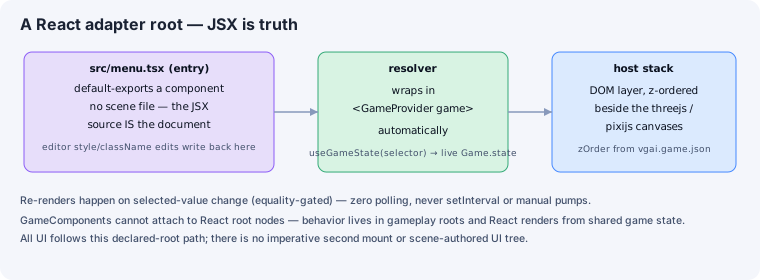
{ "manifestVersion": 2, "roots": [ { "id": "ui", "adapter": "dom", "entry": "src/ui/game.tsx", "zOrder": 100 } ]}The host owns createRoot, wraps the entry in the engine’s WorldProvider,
and disposes the React tree with the rest of the game. Game code never creates
a second React root.
Reading game state
Section titled “Reading game state”React subscribes through the engine package:
import { useWorldState } from '@engine/react/world-state';import { Health } from '../scripts/components/health';
export default function GameUI() {  const hp = useWorldState((game) => game.queryByComponent(Health)[0]?.hp ?? 0);  return <div data-oid="hud:health">HP {hp}</div>;}
useWorldState re-renders only when the selected value changes; do not poll.
The provider is automatic for a declared React root, so project code does not
define a provider shim.
Pointer events
Section titled “Pointer events”React root layers are click-through by default so empty DOM space does not block a canvas below it. Opt interactive elements in explicitly:
<button style={{ pointerEvents: 'auto' }} onClick={restart}>Restart</button>Authoring
Section titled “Authoring”Elements with stable data-oid values appear beneath the React root in the
editor hierarchy. Selecting one exposes React layout and style properties;
edits write back to JSX source.