
Instancing, terrain & splines
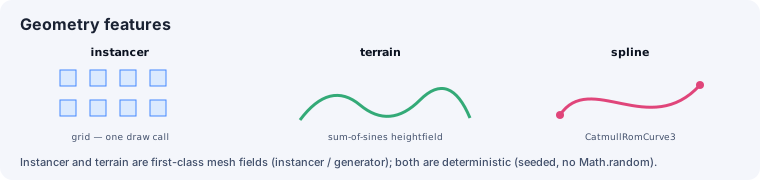
Three geometry techniques handle large or procedural content. Instancing consumes native Three.js matrices, terrain uses ordinary image/model assets, and splines remain source-authored curves. Keep repeatable generation in project scripts so the same inputs reproduce the same assets.
Instancing
Section titled “Instancing”Create a THREE.InstancedMesh and apply ordinary THREE.Matrix4 transforms with
setMatrixAt(). Keep procedural placement in TS/TSX; when placements must travel as an asset,
bake glTF using the standard EXT_mesh_gpu_instancing extension instead of a vgai tuple file.
Terrain
Section titled “Terrain”Terrain is ordinary project-owned data. Author a mesh in Blender and export GLB, or keep a grayscale PNG/TIFF/EXR heightmap plus an RGB(A) splatmap and decode them in project source. The copied-in terrain helper turns one height array into both a Three.js mesh and Rapier heightfield collider, keeping the visible and physical surfaces together.
Splines
Section titled “Splines”Construct THREE.CatmullRomCurve3 directly from project-owned Vector3 control points. Its
native closed, curveType, and tension options cover paths, camera rails, and procedural
placement without another persisted schema.
See also
Section titled “See also”- Rendering, cameras & meshes — GLB geometry and native Three.js instancing.
- Particles — the other large-content feature.