
Lights & shadows
Lights are declared on an entity via the light schema
(packages/engine/src/asset-formats/light.ts).
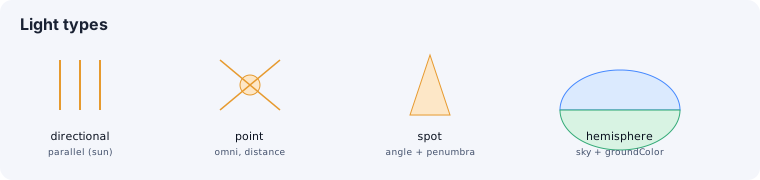
type | Behavior | Key fields |
|---|---|---|
directional | Parallel rays (a sun) | color, intensity |
point | Omnidirectional from a point | color, intensity, distance (0 = infinite) |
spot | A cone | color, intensity, distance, angle (radians), penumbra (0–1) |
hemisphere | Sky/ground gradient ambient | color (sky), groundColor, intensity |
area | A soft rectangular emitter (a softbox/window) | color, intensity, width, height |
distance (point/spot) caps the light’s range — 0 means infinite. A spot’s angle is the
cone half-angle in radians, and penumbra softens the cone edge (0–1). The schema
rejects a spot angle that isn’t positive.
An area light is a Three.js RectAreaLight sized by width × height. It degrades
loudly, not silently: a RectAreaLight casts no shadows and only affects
standard/physical materials — so it never participates in the shadow schema below.
Shadows
Section titled “Shadows”A light casts shadows via the shadow schema (packages/engine/src/setup/setup-renderer.ts):
enabled— does this light cast shadows.mapSize— shadow map resolution in pixels (e.g. 1024, 2048).camera—{ left, right, top, bottom }frustum bounds (directional lights).radius— blur radius for soft shadows.bias— offset to reduce shadow acne.
The renderer uses PCF soft shadow maps globally (see
Rendering). An entity’s own shadow behavior is Three’s own
castShadow / receiveShadow flags on the mesh itself.
See also
Section titled “See also”- Environment — ambient, fog, and image-based lighting.
- Rendering — the shadow-map renderer settings.