Show a React UI root
site/media/lessons/scenes2-batch.lesson.ts (4 steps) In vgai, UI is a declared React adapter root. The host composes it over the gameplay canvas and owns its mount and disposal lifecycle.
-
Open a scene with a React HUD. The scene is already open — if you followed the link above, the editor-tutorial scene is loaded and rendering (in the local dev editor:
VGAI_PROJECT=examples/editor-tutorial npm run dev).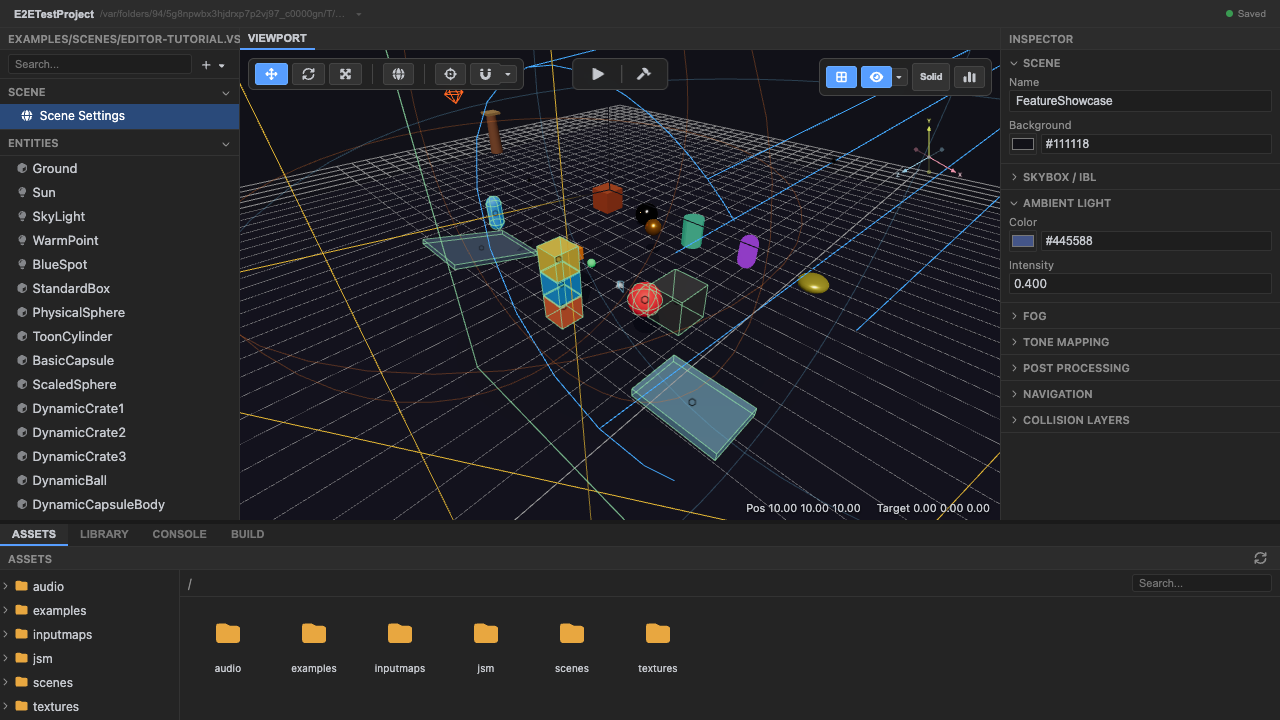
The scene whose example mounts a HUD. -
Enter play mode. The manifest composer mounts the declared React root and wraps it in the engine
GameProviderautomatically.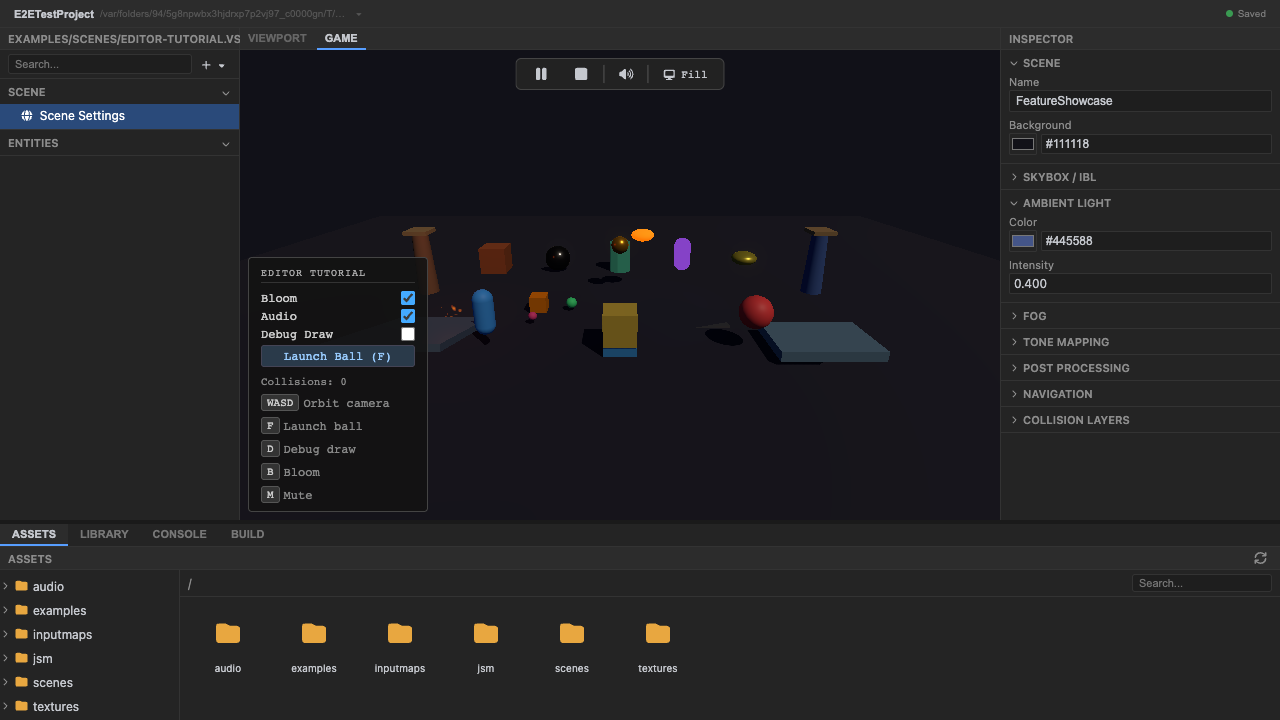
The declared React root mounts with the game. -
The HUD
PanelandKeyHints overlay the 3D scene. The panel uses the shared primitives (Panel,Button,Toggle,KeyHint). The overlay ispointer-events: noneby default, so clicks fall through to the 3D scene; interactive widgets opt back in toauto.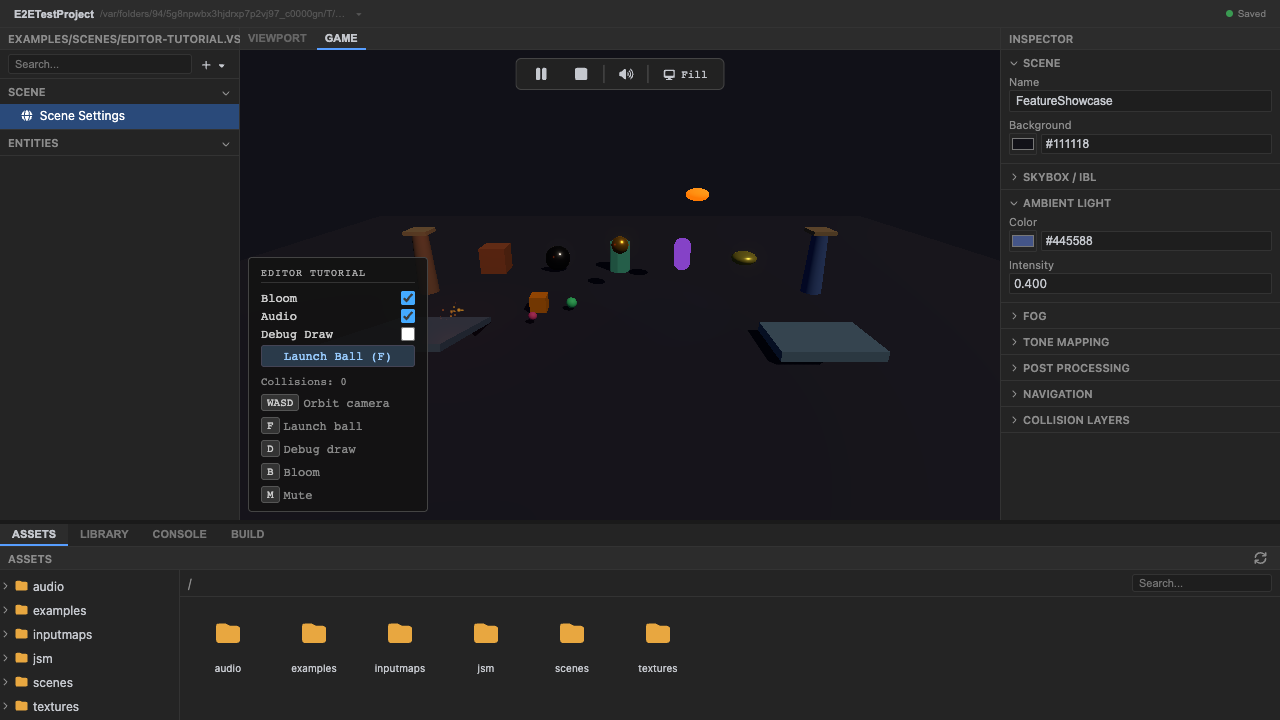
A Panel of KeyHints over the viewport. -
Stop play mode. Press Stop (or
Escape) — the host disposes every root.
Recap
New functionality
- Saw a React HUD over the 3D scene
- Recognized the shared UI primitives
New concepts & skills
- React UI is an explicit adapter root
- The host owns mount and disposal
- The layer is click-through; interactive widgets opt in to pointer events
Next lesson → Manual: React HUD
On Your Own!
Extend what you built:
- Add a Button to the HUD and wire an onClick
- Set pointer-events:auto on a widget and confirm clicks no longer fall through
- Select an OID-backed element in the React hierarchy and edit its style