Build a HUD in the Visual UI Editor
site/media/lessons/surfaces-batch.lesson.ts (4 steps) Beyond hand-writing React HUDs, vgai ships a Visual UI Editor: you compose a game UI from a palette of containers and controls, see it rendered live, and edit each node’s layout, style, data-bindings, and events in an inspector — no code required for the structure.
-
Open the UI Visual Editor — node tree, palettes, and a live preview. Left: a CONTAINERS palette (box, grid, stack, scroll, panel, center, …) and a CONTROLS palette (text, button, image, input, toggle, slider, dropdown, progress). Center: the live-rendered UI. Right: the inspector.
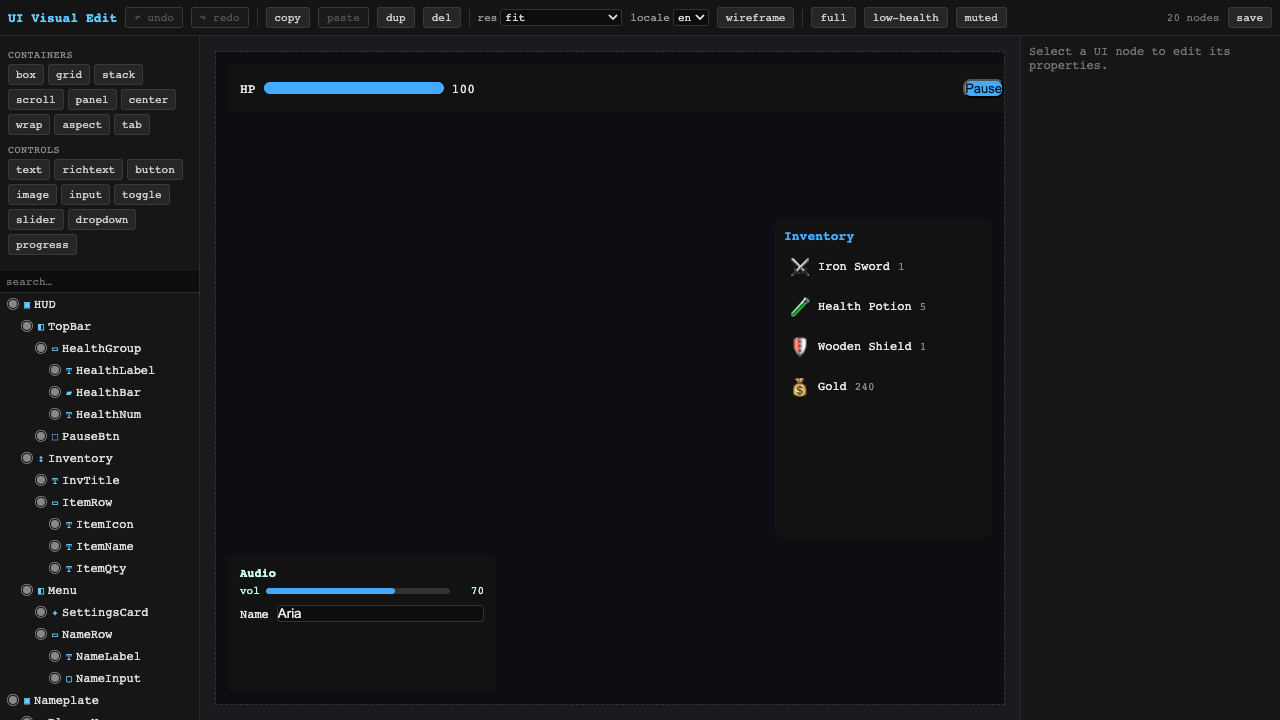
Palettes (left), live preview (center), inspector (right). -
The node tree maps to the rendered game UI. The tree (
HUD → TopBar → HealthGroup → HealthLabel / HealthBar / HealthNum,Inventory,Menu, …) is the UI’s structure; the center panel renders exactly that tree (an HP bar, an Inventory panel, an Audio card).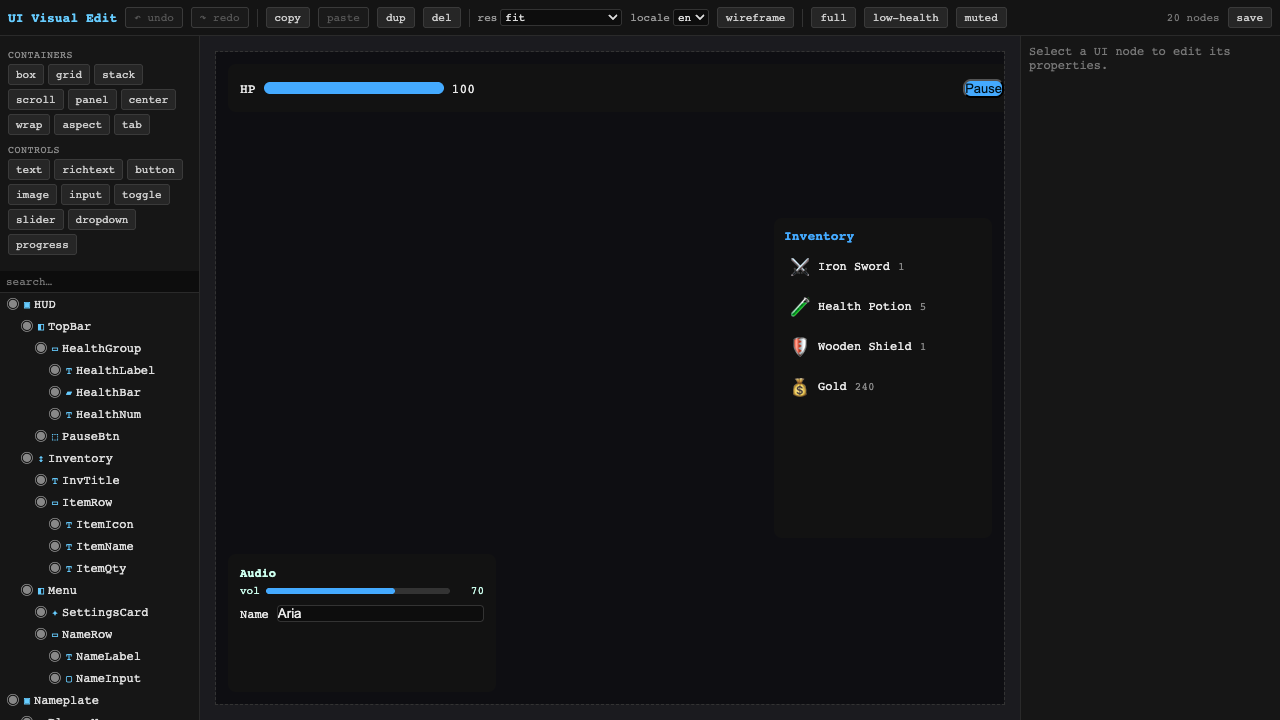
Each tree node is a rendered UI element. -
Add a control from the palette. Click a control type (e.g. button) to insert a node — the tree gains a
Buttonand the node count ticks up.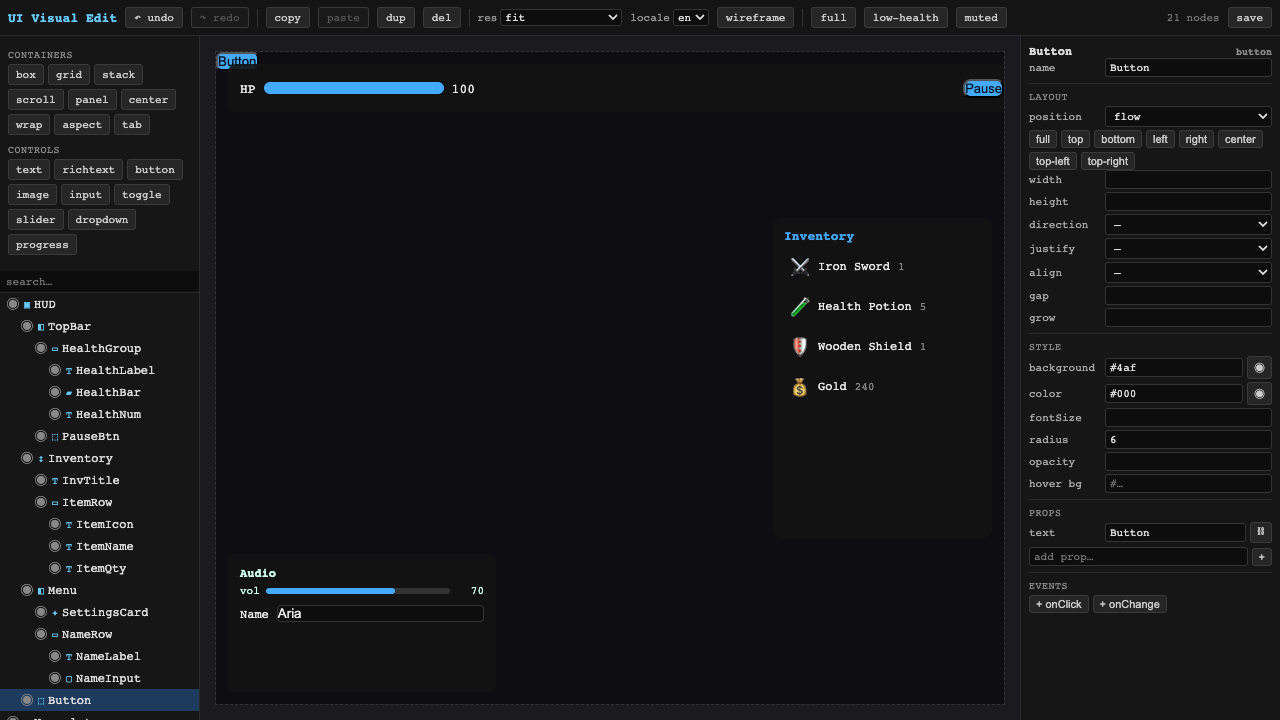
Clicking a palette control inserts a node into the tree. -
Select a node to edit its properties. Selecting
HealthBarpopulates the inspector: Layout (position/width/height/align), Style (background$accent, radius, opacity), Props with a data-binding (value → player.health), and Events (onClick/onChange).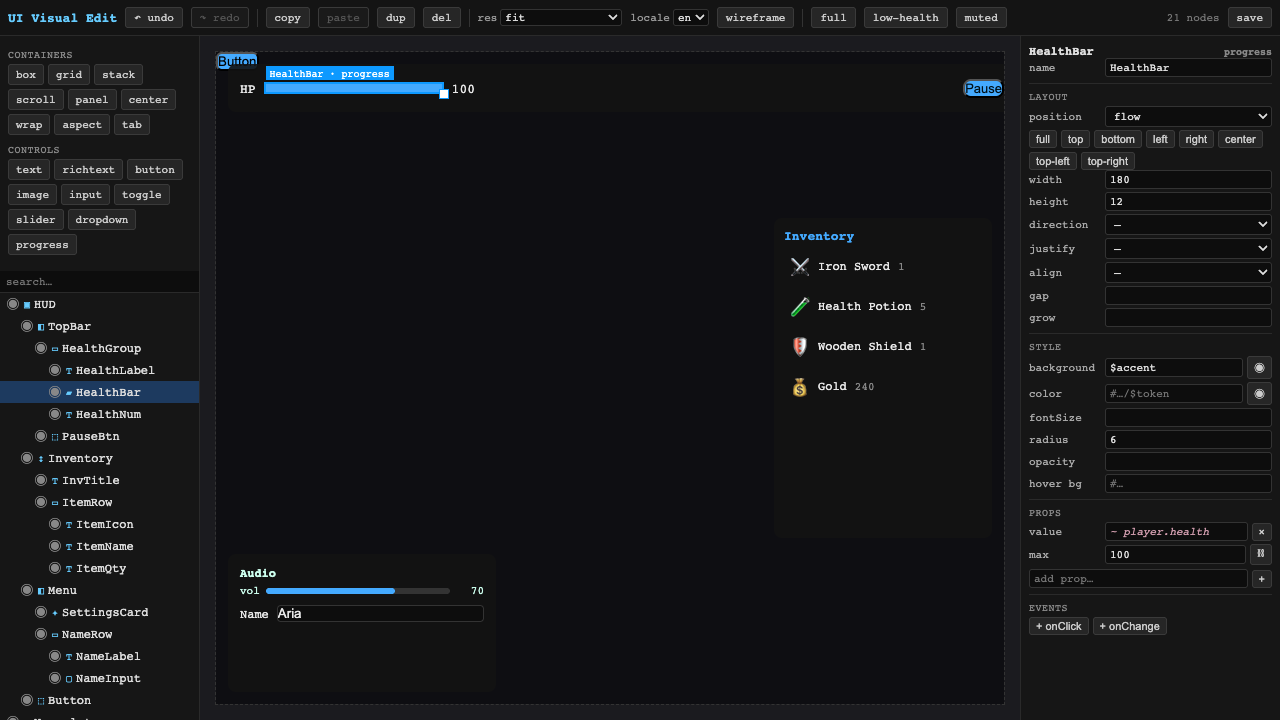
Layout, style, a data-binding (value → player.health), and events.
Recap
New functionality
- Reached and read the Visual UI Editor
- Added a control and inspected a node's layout/style/binding/events
New concepts & skills
- A game UI is a node tree of containers + controls, rendered live
- The inspector edits layout, style, data-bindings (value → player.health), and events
- It ships as a dedicated ui-editor.html page, not yet in the 3D editor toolbar
Next lesson → UI: styling & binding